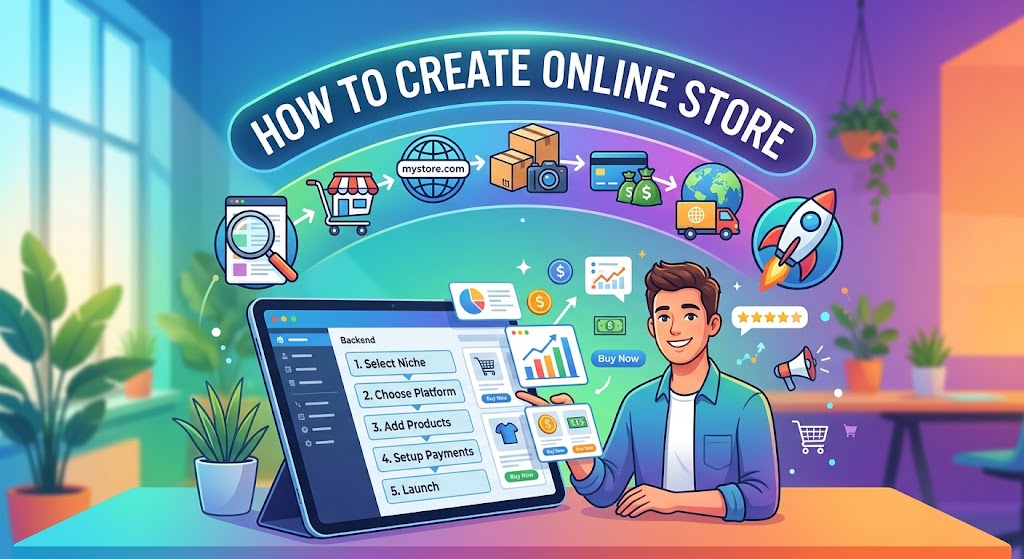
How to create online store easily and successfully is one of the most profitable skills you can master in today’s modern digital market. Whether you are launching a brand-new e-commerce business, expanding a physical retail shop, or selling unique handcrafted items online, having an optimized web store is essential for reaching customers worldwide.
Setting up a digital storefront used to require complex programming skills and thousands of dollars in web development costs. Today, powerful modern e-commerce platforms and user-friendly site builders make launching your shop faster and more straightforward than ever before. In this guide, you will learn every crucial step involved in creating an online store that ranks well on Google and converts visitors into loyal paying customers.
Step 1: Choose Your Niche and Target Products
Before jumping into website setup, you must define what you want to sell and who your target audience is. Choosing the right niche ensures your product offerings stand out from competitors.
-
Research Market Demand: Use keyword tools and trend platforms to identify trending products with low competition.
-
Define Your Ideal Buyer: Create customer profiles to understand their shopping preferences and needs.
-
Determine Your Fulfillment Model: Decide whether you will handle inventory yourself, use dropshipping, or sell print-on-demand items.
Step 2: Select the Right E-Commerce Platform
The foundation of your business lies in selecting a robust, reliable platform. Your choice depends on your technical budget and business requirements:
-
Shopify: Ideal for beginners who want an all-in-one, fully managed e-commerce solution with easy setup and continuous security updates.
-
WooCommerce (WordPress): Perfect for site owners who want total control, deep customization, and complete ownership over their content and data.
-
BigCommerce & Wix: Great alternative platforms offering quick setups and built-in marketing functionality.
Step 3: Secure Your Domain Name and Hosting
A memorable domain name builds brand authority and instantly signals credibility to potential buyers.
-
Keep It Simple & Brandable: Choose a short, recognizable domain name that reflects your niche.
-
Prefer a
.comExtension: A standard.comdomain carries global trust and authority. -
Select Fast, Secure Hosting: If using self-hosted platforms like WooCommerce, invest in reliable hosting with an included SSL certificate for encrypted transactions.
Step 4: Design a Responsive and User-Friendly Storefront
When learning how to create online store interfaces that convert, mobile responsiveness and clean aesthetics must be your top priorities.
-
Choose a Clean Theme: Opt for lightweight, fast-loading e-commerce templates optimized for mobile viewports.
-
Organize Clear Navigation: Use structured categories, search bars, and logical menus to help visitors find products effortlessly.
-
Highlight High-Quality Visuals: Display crisp product photos from multiple angles along with clear video demonstrations where applicable.
Step 5: Add Products with Conversion-Focused Copywriting
Your product pages function as your virtual sales representatives. Optimize them to rank on search engines and persuade visitors to purchase.
-
Craft Descriptive Product Titles: Include primary keywords and specifications (e.g., size, color, model).
-
Write Unique Product Descriptions: Highlight specific features, benefits, and practical solutions rather than relying on manufacturer templates.
-
Incorporate Clear Calls to Action (CTAs): Position prominent “Add to Cart” and “Buy Now” buttons above the page fold.
Step 6: Configure Payment Gateways and Shipping Options
To finalize purchases without friction, offer multiple safe and convenient checkout options.
-
Integrate Trusted Payment Processors: Enable widely recognized options like Stripe, PayPal, Apple Pay, and credit card processing.
-
Set Clear Shipping Rates: Provide flat-rate shipping, real-time carrier rates, or free shipping thresholds to reduce cart abandonment.
-
Ensure SSL Security: Display trust badges and secure checkout indicators to reassure online buyers.
Step 7: Optimize Your Online Store for SEO and Performance
A beautiful store won’t succeed if potential customers can’t find it on search engines. Implement essential on-page SEO best practices:
-
Target Long-Tail Keywords: Optimize category and product pages for specific search intent queries.
-
Optimize Page Speeds: Compress large image files and leverage caching to ensure fast loading speeds.
-
Enable Schema Markup: Implement product schema to display star ratings, prices, and stock availability directly in Google search results.
Learning how to create online store setups from scratch requires clear planning, the right technical stack, and consistent execution. By choosing a solid niche, selecting a reliable e-commerce platform, and optimizing your pages for both user experience and search engines, you set up a strong foundation for sustainable online growth. Start applying these actionable steps today to turn your e-commerce vision into a flourishing digital store.